Screen recording permission on a Mac

Open System Settings › Privacy & Security › Screen & System Audio Recording, switch the app on, then quit the app and open it again. If the app isn't in the list, click the + below it and add the app. Apple's pages don't say how often macOS asks again.
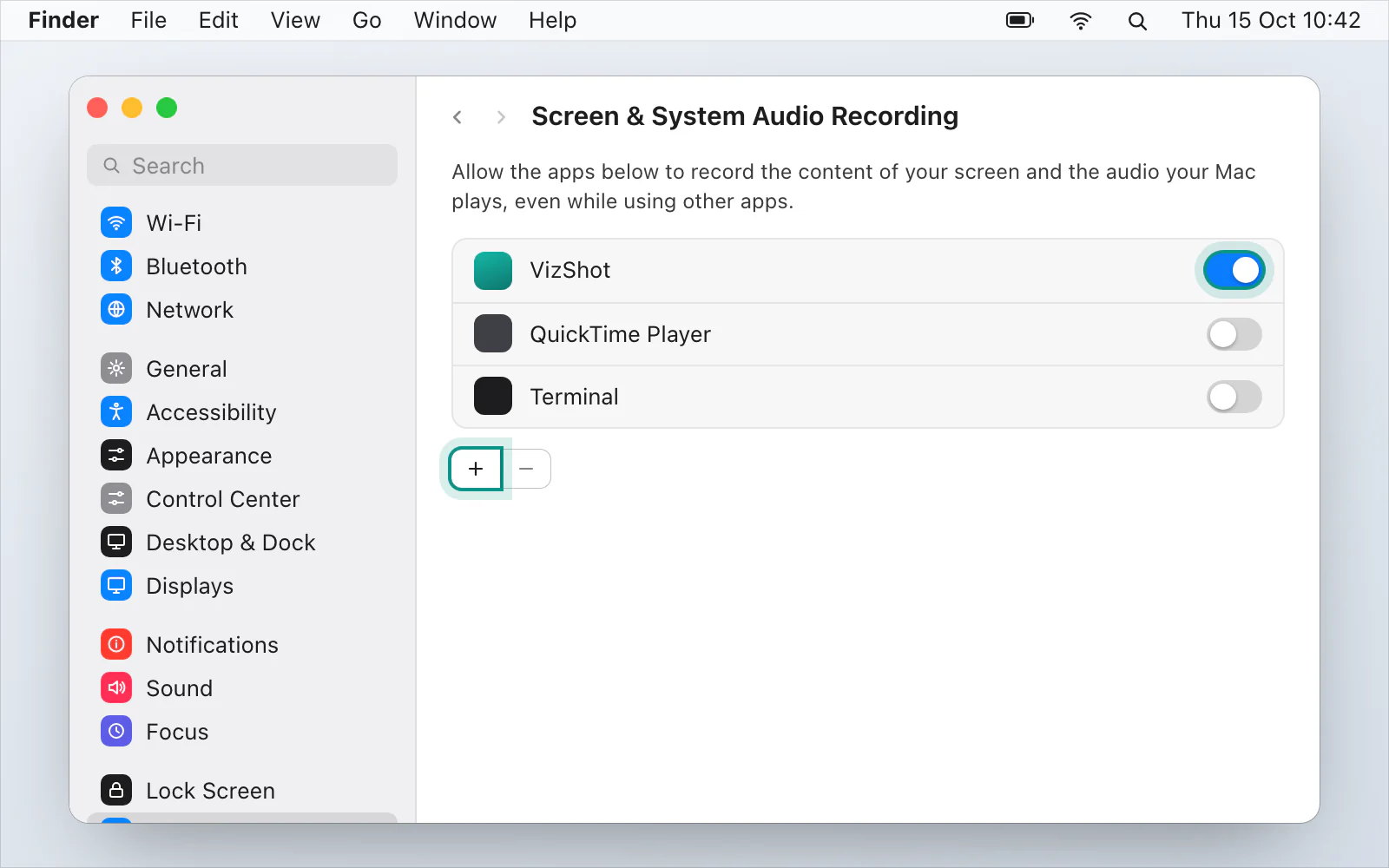
Where is the screen recording permission?
Apple's page on controlling access to screen and system audio recording gives the steps:
Choose Apple menu › System Settings, then click Privacy & Security in the sidebar. You may need to scroll down.
Click Screen & System Audio Recording.
For each app in the list, turn the switch on or off.
To add an app that isn't listed, click the + below the list and choose the app.
Apple says you can allow an app to record both your screen and audio, or just your audio.
What the Allow buttons do
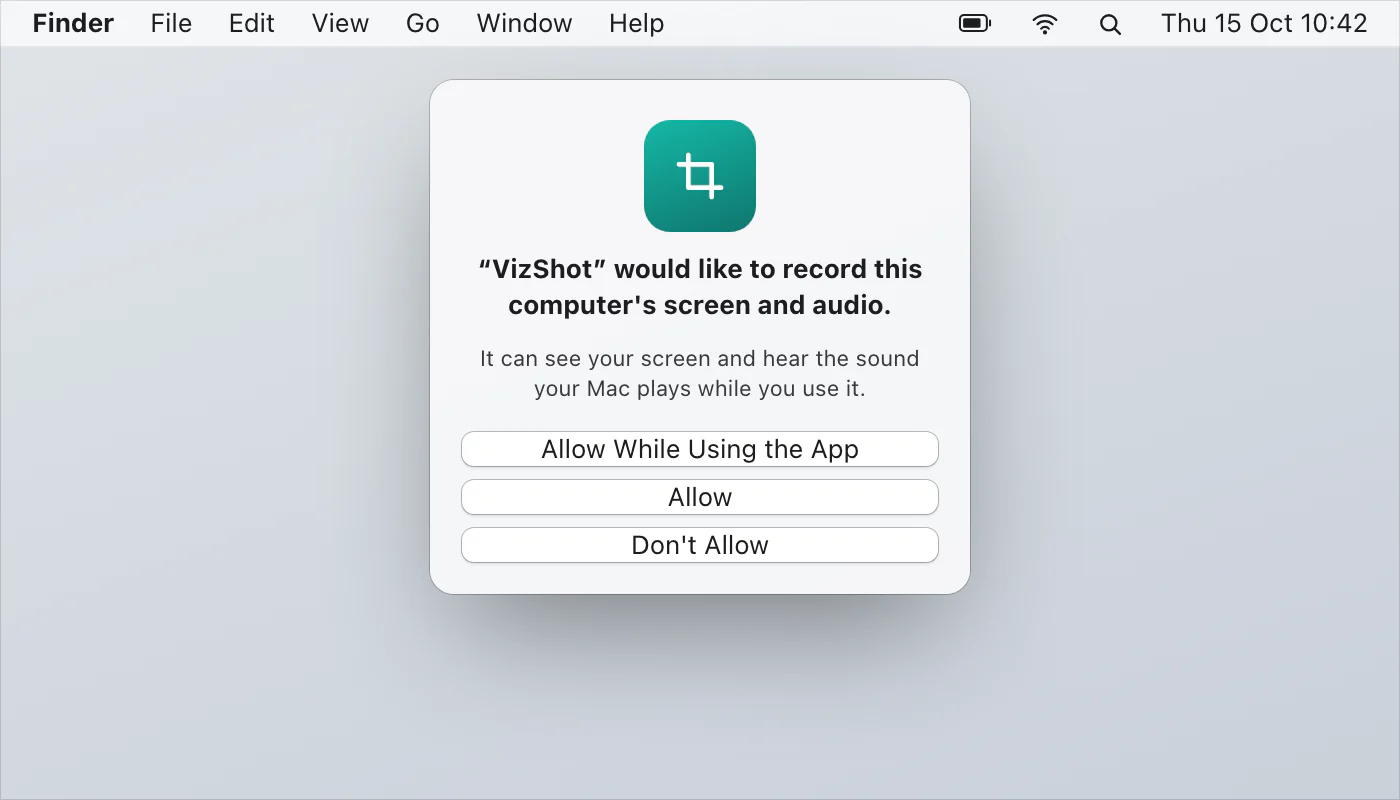
When an app asks, a dialog appears. Apple's page on the dialog says Allow or Allow While Using the App lets the app use screen and audio recording, and Don't Allow refuses it. For an app that only wants your Mac's sound, Apple says the dialog has Allow and Don't Allow. If you said no by mistake, the switch is in the same list.
The app is on but still can't see the screen
Quit the app completely and open it again. Apple's pages don't mention this step. VizShot's help says macOS only lets an app see the screen after the app starts again.
Switch it off and on again in the list.
Remove it and add it back. Select the app, click the minus button, then click the + and choose the app again. VizShot's help says macOS sometimes keeps a stale entry for an older copy of an app.
Restart your Mac.
Why does my Mac keep asking?
Apple's pages for macOS Sonoma 14, Sequoia 15, Tahoe 26 and macOS 27 Golden Gate describe the list, the switches, the plus button and the dialogs, and none says how often macOS asks again or why it might.
What you can do is what those pages describe. If the dialog appears, Allow or Allow While Using the App lets the app use screen and audio recording. You can also open the list and check that the app's switch is on.
If your Mac belongs to a school or an employer, ask whoever manages it. Apple's page points system administrators to Apple Platform Deployment, and Apple's device-management documentation lists a setting for managed Macs (macOS 15.1 and later) that makes the system skip a "screen capture alert". Apple doesn't say whether that alert is the permission question.
Does this cover my microphone?
No. Apple gives the microphone its own list, Privacy & Security › Microphone, in its page on microphone access. If a recording has no voice, screen recording with no sound goes through it, and recording on a Mac with sound covers choosing what to record.
How VizShot asks for it
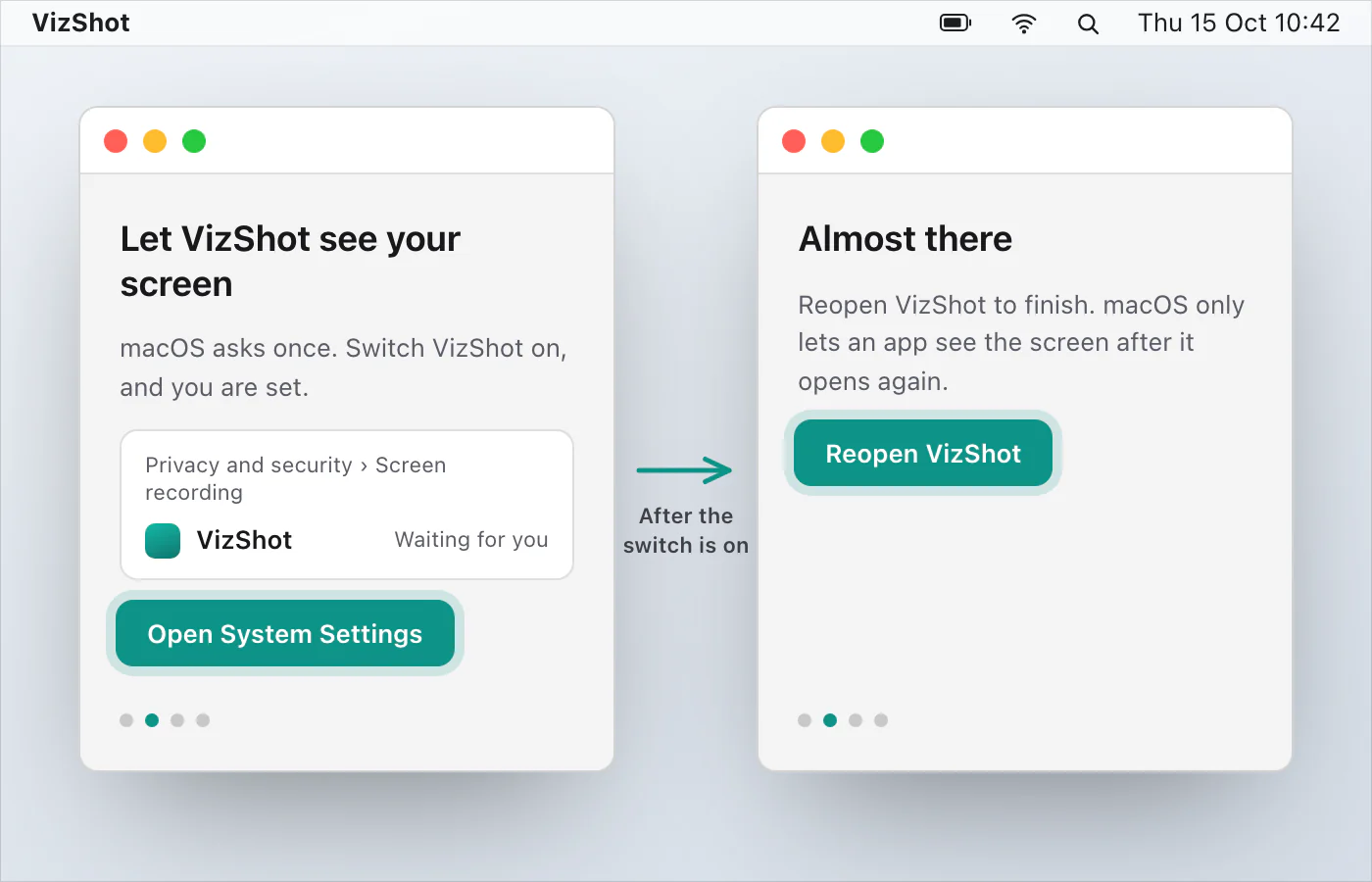
On a Mac, VizShot needs this permission before it can capture, and nothing leaves your computer because of it. In the welcome window, press Open System Settings, switch VizShot on in the list, then press Reopen VizShot. The permission lets it see the screen only when you ask for a capture, and it doesn't watch your screen in the background. The help has the first-time steps, and if VizShot still says it can't see your screen, its troubleshooting article has the remove-and-add-back steps. You can download VizShot.
$8, once, for two computers.
Questions
Why does my Mac keep asking for screen recording permission?
Apple's pages don't say how often macOS asks again. If the dialog appears, allow the app, or check its switch in Privacy & Security › Screen & System Audio Recording. On a Mac that someone else manages, ask them.
Where do I turn on screen recording on a Mac?
In System Settings › Privacy & Security › Screen & System Audio Recording. Switch on the app you want. If it isn't listed, click the + and add it.
Why is the app missing from the list?
Apple's page doesn't say why an app may be missing. To add it yourself, click the + below the list, then choose the app.
Does allowing screen recording let an app see my screen all the time?
Apple's pages don't say how often an allowed app records. They say any information third-party apps collect is governed by their own terms and privacy policies, and recommend learning about the privacy practices of those parties.
Checked against
- Apple: Control access to screen and system audio recording on Mac, read 15 October 2026
- Apple: Allow apps to use screen and audio recording, read 15 October 2026
- Apple: Allow apps to record your system audio, read 15 October 2026
- Apple: Control access to the microphone on Mac, read 15 October 2026
- Apple: device-management, com.apple.applicationaccess.yaml, read 15 October 2026