Yellow border around the screen on Windows 10

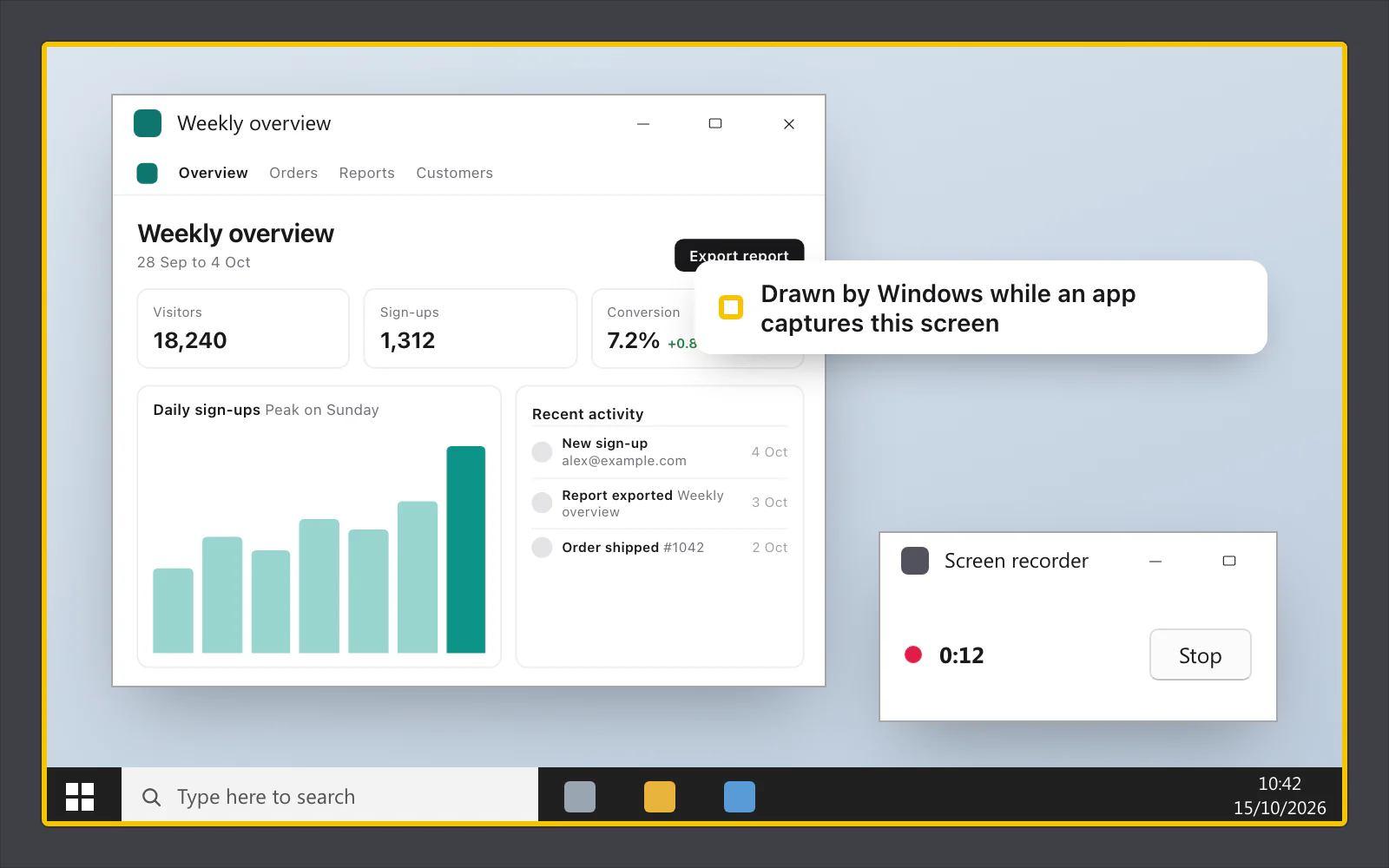
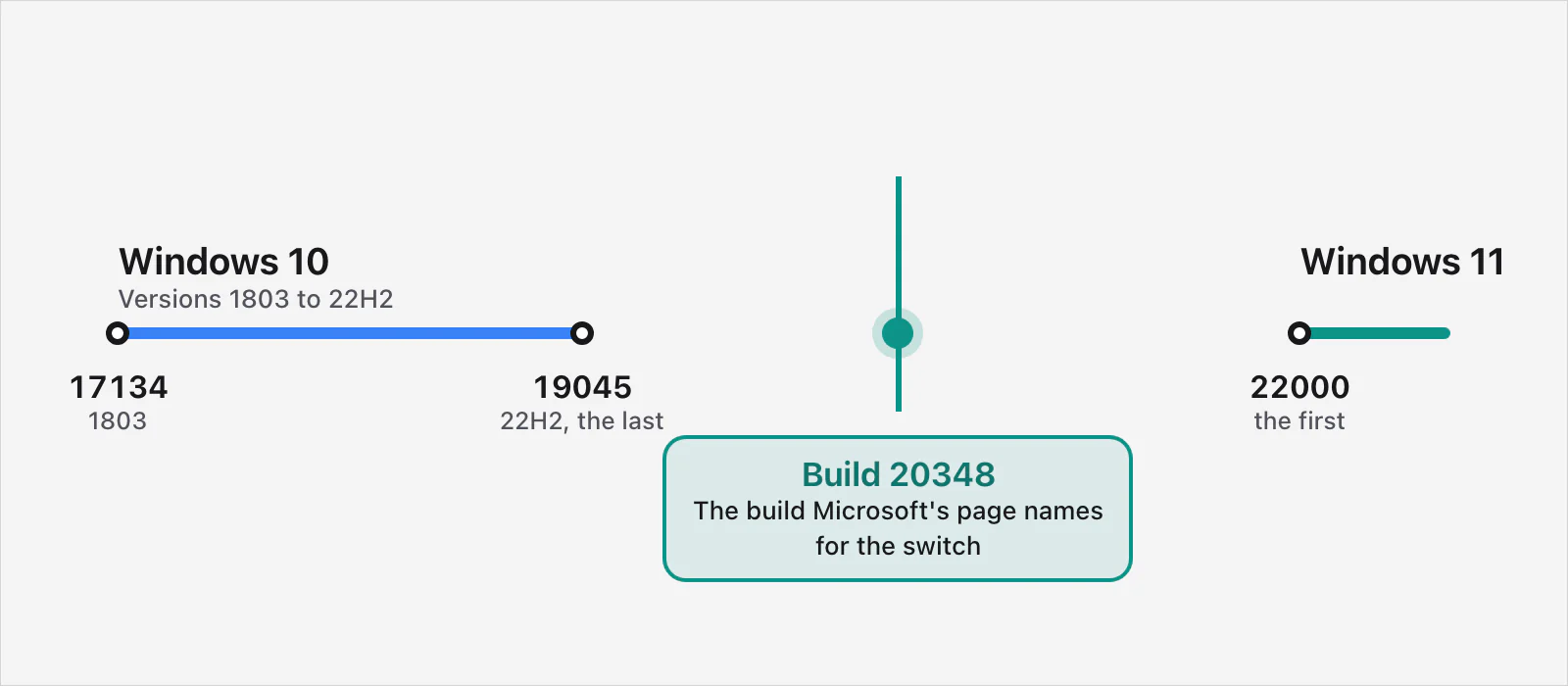
It's Windows, not the app. When an app captures a screen or a window on Windows 10 through the system's screen-capture feature, Windows draws a yellow border round what's being captured, to remind you. On Windows 10, no app can turn it off with Microsoft's switch: the switch needs build 20348, and Windows 10 ends at build 19045. Windows 11 has the switch, and VizShot uses it there.
Why Windows draws it
Microsoft's developer blog says that once a capture starts, the thing being captured gets a small yellow border "to remind the user of what is being shared and/or possibly recorded". Microsoft Learn's page on screen capture adds that the system draws it around the actively captured item, and around each item when there are several captures at once. The blog is from 2019 and says these capture APIs first shipped in the Windows 10 April 2018 Update (version 1803).
So an app that captures through them may bring the border up: a screen recorder, a streaming program or a screen-sharing call. You didn't change a setting, and the app didn't draw it.
Is it in my recording?
Microsoft doesn't say whether the border shows up in a recording or a screenshot. People often report that it doesn't, but make a ten-second test recording and watch it back to be sure.
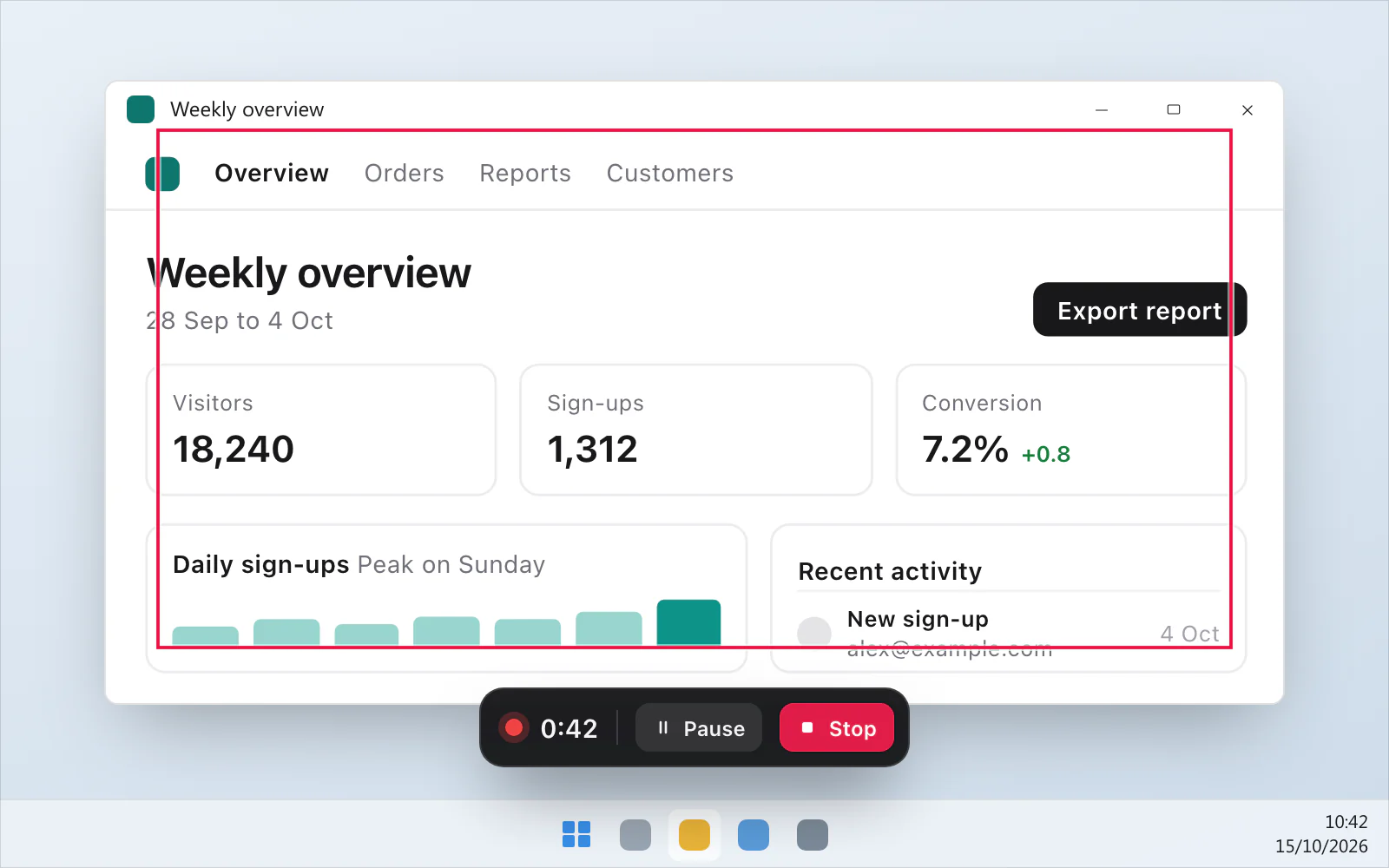
VizShot's own red line round a recording area is a different thing, and its help says that line is never in the recording.
Can an app turn it off?
Microsoft documents a switch. Its page for GraphicsCaptureSession.IsBorderRequired says the property sets whether the capture needs a coloured border. Before the system will drop the border, the app has to ask you for consent with a prompt, and it has to declare the graphicsCaptureWithoutBorder capability in its package. If you say no, the border stays. It also stays if another app on the PC has asked for the border on the same window or display.
Here is why that doesn't help on Windows 10:
Microsoft's page labels the switch "Windows 10, version 2104 (introduced in 10.0.20348.0)". Neither "version 2104" nor build 20348 is in Microsoft's Windows 10 release information, which lists version 21H1 as build 19043, 21H2 as 19044 and 22H2 as 19045. Its tables run from build 10240 to build 19045.
Windows 10 version 22H2 is the last one. Microsoft says Windows 10 reached end of support on 14 October 2025, and that the October 2025 monthly security update was the final one for 22H2 and the Enterprise LTSB editions. The same page describes a paid Extended Security Updates program, and its 22H2 row still lists an update on 13 October 2026, at build 19045.7807. That is still a 19045 build.
Windows 11 is different. Microsoft's Windows 11 release information starts at build 22000 (version 21H2), which is later than 20348. So the switch is there on Windows 11.
So on Windows 10, no app can use Microsoft's switch. Microsoft's page describes a setting for apps, not one you can change yourself.
What you can do
Leave it. It's a reminder from Windows, and people often report that it isn't in what you record or stream.
Look at your recorder's settings. Some recorders can capture the screen in more than one way. People often report that a different method can avoid the border, and that it can come with trade-offs. Microsoft doesn't document that, so try it on a short recording first.
Move to Windows 11 if your PC can. Microsoft says that customers who contact Microsoft Support after 14 October 2025 will be directed to upgrade a compatible device to the latest version of Windows 11. On Windows 11 the switch is there. Other programs can use it, but Microsoft's page says an app has to get your consent first, so it depends on the program.
If the border stays after you stop, remember Microsoft says it's drawn around an item that's being captured. Close any recorder, screen-sharing call or screenshot app you've used.
What VizShot does about it
VizShot runs on Windows 10 version 1903 and later. On Windows 10, Windows draws a yellow line round anything an app captures, and VizShot can't switch that off. On Windows 11 there's no line: Microsoft's switch is there, and VizShot uses it. CtrlShift1 records an area, and the MP4 opens in the player when you stop. After the 14-day free trial, recording needs a key. The system requirements have the table, Record your screen has the steps, and you can download VizShot.
$8, once, for two computers.
Questions
Why is there a yellow border around my screen on Windows 10?
Because an app is capturing it through Windows' screen-capture feature. Microsoft's developer blog says the system draws a small yellow border to remind you of what is being shared or recorded.
How do I remove the yellow border on Windows 10?
You can't turn it off with Microsoft's switch on Windows 10: Microsoft's page says the switch was introduced in build 10.0.20348.0, and Windows 10's builds end at 19045. Windows 10 screen recorder covers the Game Bar, the recorder that comes with it.
Is the yellow border in my screenshot or recording?
Microsoft doesn't say. People often report it isn't. Test with a short recording.
Does Windows 11 have the yellow border?
With VizShot there's no line on Windows 11. Other programs can turn it off there with Microsoft's switch, but only after asking you, so it depends on the program. Recording on Windows 11 with audio is the Windows 11 page.
Why does the Snipping Tool show a yellow border?
Microsoft's pages on the border don't mention the Snipping Tool. They say the system draws it around what an app is capturing through its capture feature, and they don't say whether the Snipping Tool uses that feature. Screenshot shortcuts for Windows has the Windows screenshot shortcuts together.
Checked against
- Microsoft Learn: GraphicsCaptureSession.IsBorderRequired Property (Windows.Graphics.Capture) - Windows apps, read 15 October 2026
- Microsoft Learn: Windows 10 - release information, read 15 October 2026
- Microsoft Learn: Windows 11 - release information, read 15 October 2026
- Microsoft Learn: GraphicsCaptureSession Class (Windows.Graphics.Capture) - Windows apps, read 15 October 2026
- Microsoft: New Ways to do Screen Capture, read 15 October 2026
- Microsoft Learn: Screen capture - Windows apps, read 15 October 2026